MY MODS / Ally Outlines Plus
Ally Outlines Plus
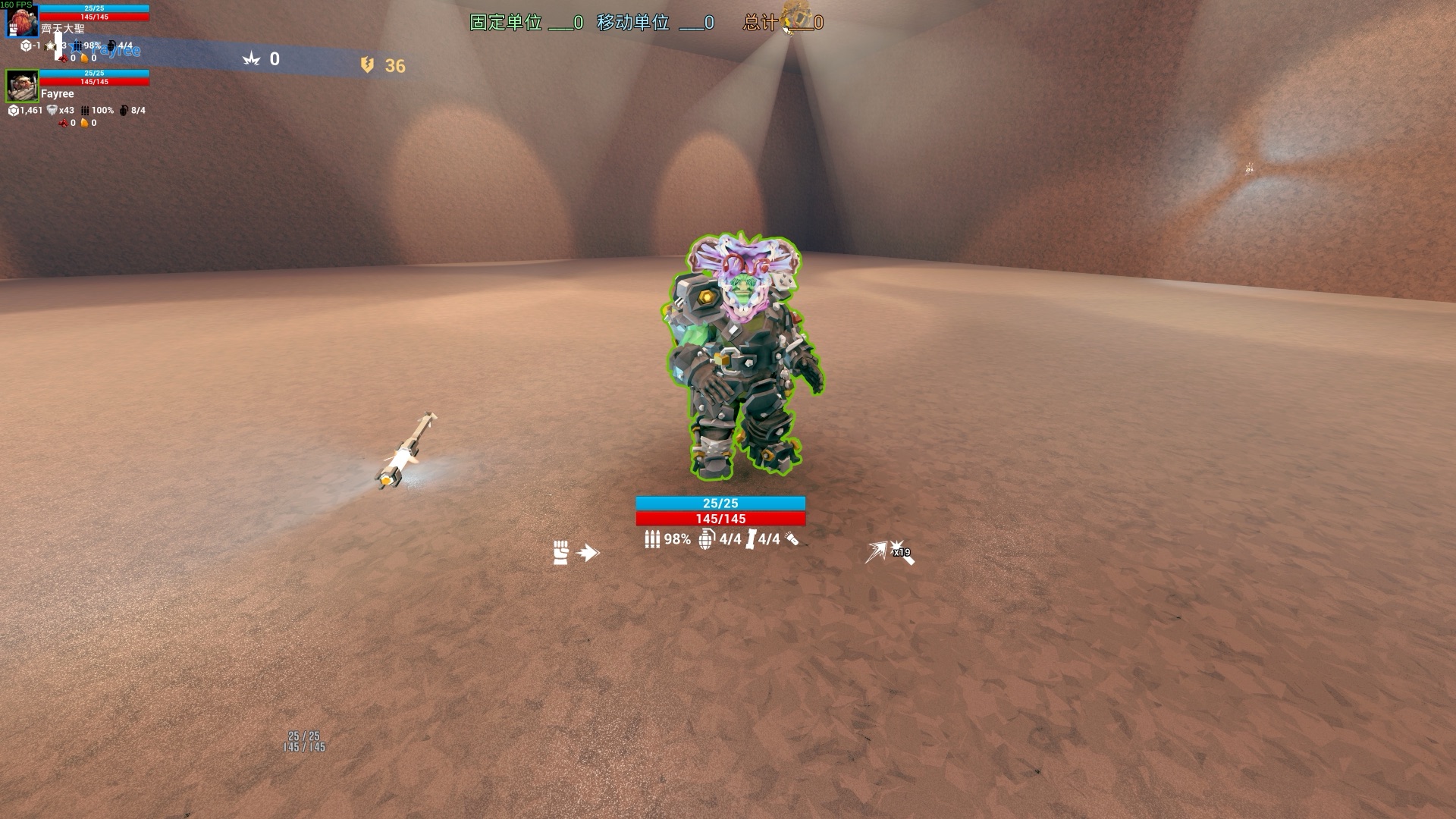
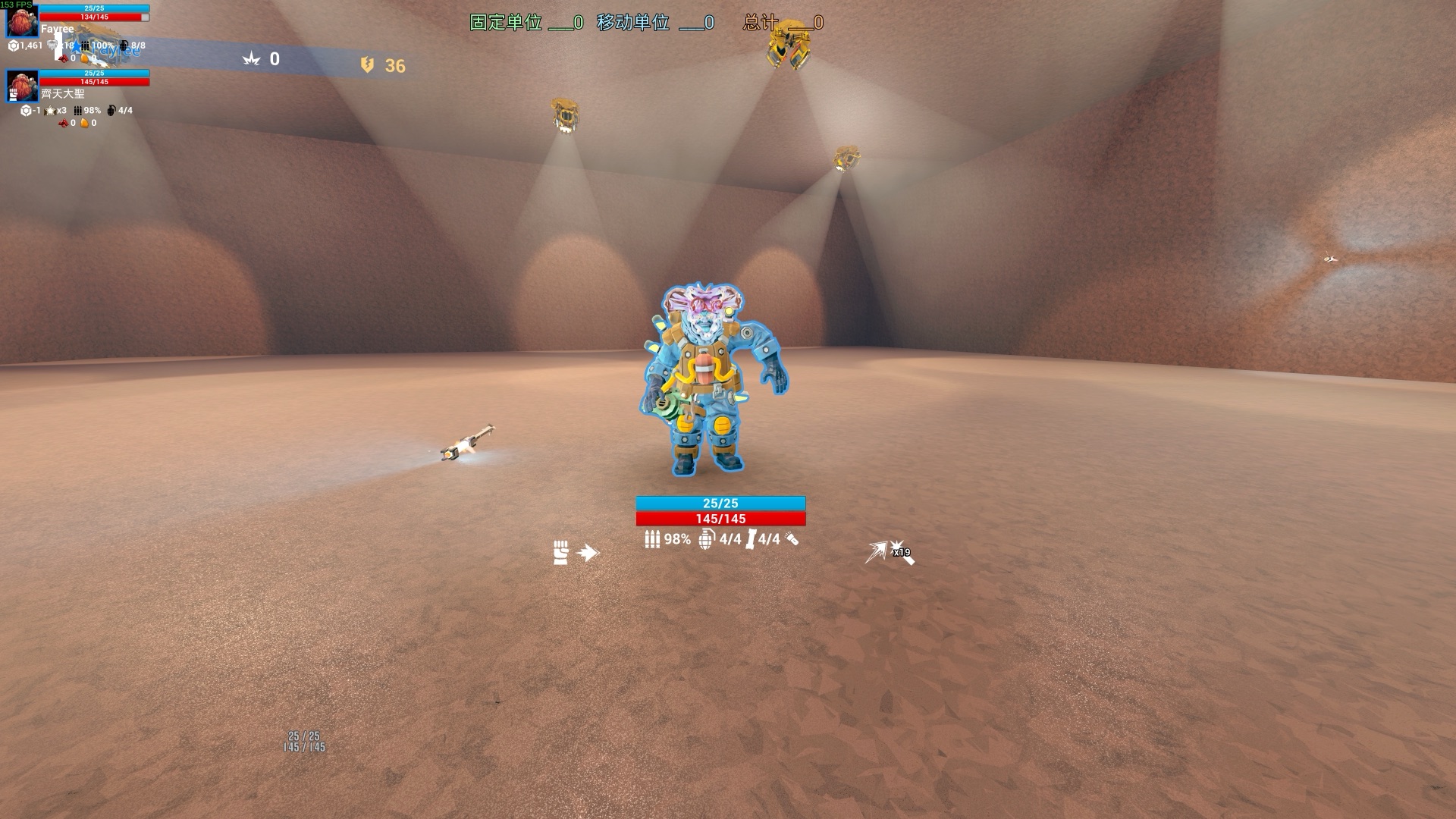
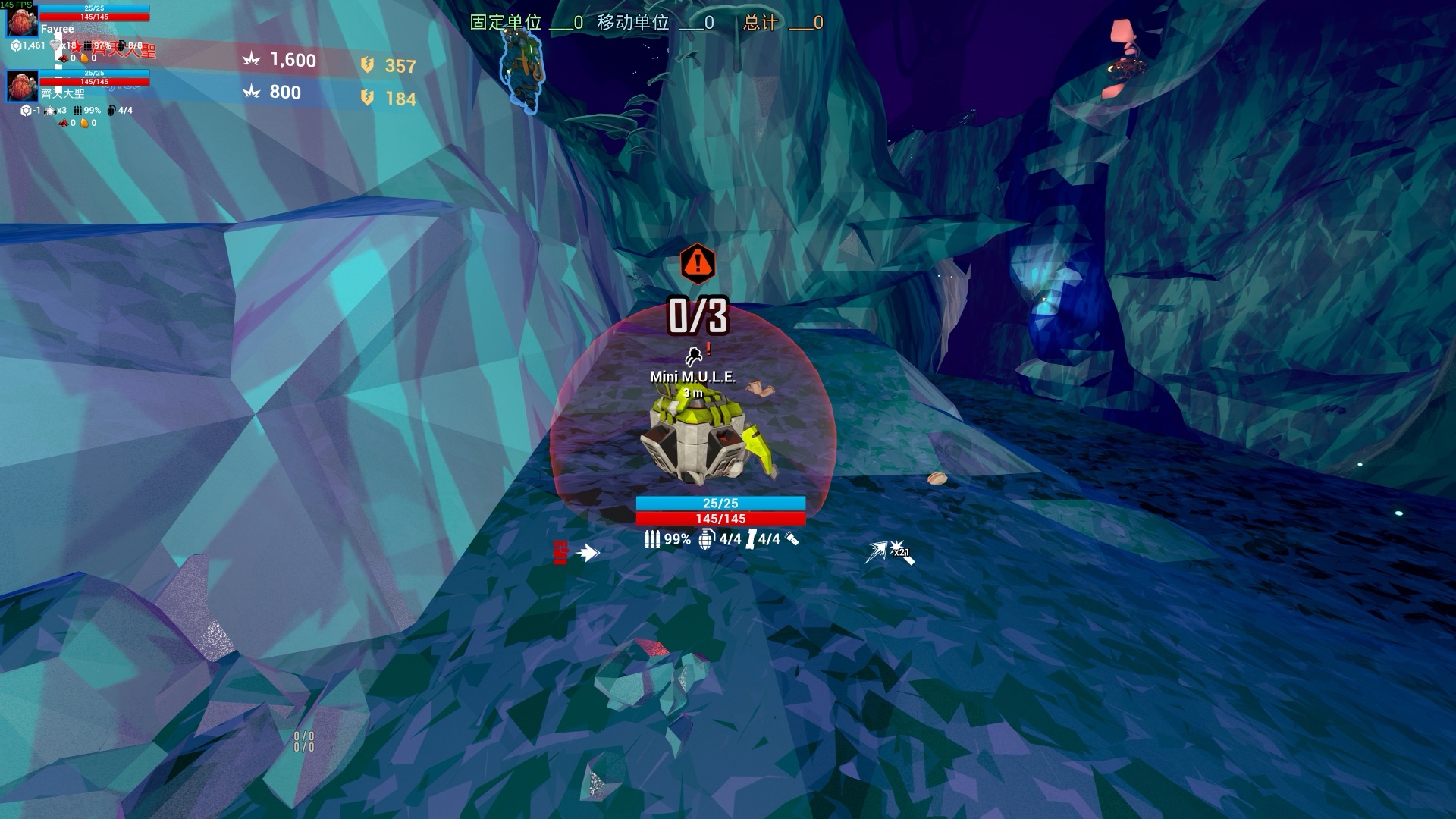
See your teammates through walls: a class-coloured outline and fill for each dwarf, plus Bosco and Molly, with name and health above their head. Laser-pinged mules stay on your screen, and a mule somebody already touched (ambush triggered) gets a red exclamation mark.
ExperimentalOnly you need it
What it does
This is a test build. I've played a round with it and the main features work, but it's still being tuned and may have problems I haven't hit yet. Disable Customizable Ally Outlines and Player Nameplates first: the first keeps switching teammates' outlines to another colour and fights this mod (the settings page warns you when it detects it); the second duplicates the name tags. This mod used to be called Ping Marker; if you installed it, disable the old one. Please report any problems.
The caves are dark and busy, and teammates vanish from view in seconds, especially when they're down. In vanilla you have to hold a key to see their outlines, and they're all one colour, so you can't tell who's who.
Ally Outlines Plus lets you see every teammate at all times: a class-coloured outline and fill, visible through walls, with their own colours for Bosco and Molly, plus each dwarf's name, health and distance above their head. And whenever anyone laser-pings a mule (or an objective), it stays on your screen so you don't lose it; a mini-mule somebody walked up to (ambush triggered) gets a red "!".
- Teammate outlines: every teammate's whole body (including the weapon or tool they hold) gets an outline in their class colour: Driller yellow, Engineer red, Gunner green, Scout blue. No key to hold.
- Bosco and Molly: Bosco is orange and Molly white, also visible through walls.
- Fill through walls: when a teammate is behind a wall or terrain, a see-through layer of their class colour covers them, so you can tell where they are. You can also show it always, or turn it off.
- Downed teammates: vanilla turns their outline red or removes it; here they keep their class colour, so the person who needs help most is the easiest to find.
- Name tags: class-coloured name, health and armour bars, and distance above each teammate; a red DOWN badge when downed. Shown always, only while you hold the game's show-player-info key, or off; while they are on, the game's own hold-key names are hidden. Off-screen teammates are hidden by default (you can turn on pinning them to the screen edge).
- Laser pings: when a teammate (or you) pings something, its icon stays on screen with its name and distance; off screen it sticks to the screen edge. Choose what stays: mules only (default), objectives, everything, or off. A pinged mule keeps its icon until it's repaired, a mule leg until it's attached; anything else can stay a few seconds after the vanilla ping ends. A kept ping shows one icon only (the vanilla one is hidden; can be turned off).
- Touched mini-mules: in Salvage, when any dwarf walks within 1.5 m of a mini-mule (the vanilla ambush trigger), its icon gets a red "!", even if nobody pinged it, so you know which mules already started their ambush. A sound plays when a mule is pinged and when one is touched (can be turned off).
- Settings page: an "Ally Outlines Plus" page in the Mod Hub or Unified UI menu: outline and fill mode, thickness and opacity, all six colours (pick from a palette or set RGB), name tag size and what it shows. Changes take effect immediately and are saved. The page is in English and Chinese; it follows the game's language, or you can switch it.
What it doesn't do
- It sends nothing to the host and changes nobody's game; it only draws on your own screen.
- It doesn't mark every objective; laser pings show only the one someone pinged.
- It doesn't draw you, only other players, Bosco and Molly.
How it works
- The outline and fill are a custom post-process effect that replaces the vanilla teammate outline effect; disable the mod or turn it off in its settings and the vanilla outline comes back.
- Name tags and ping icons are on-screen UI that follows the teammate or the pinged object. "Touched" is estimated on your own machine: the mod puts an invisible detection sphere next to every mini-mule and counts any dwarf entering it; the host sends no such signal. The approach follows Mit's Mule Indicators ↗.
- The laser-ping idea is inspired by HatsuEcho's Mission Objective Marker ↗, which marks every objective; this mod shows only the one someone pinged. They're separate files and can be installed together.
Install
Fully close the game. In MintCat (or your mod manager), disable Customizable Ally Outlines, Player Nameplates and the old Ping Marker if you have them.
Download AllyOutlinesPlus-0.4.0-alpha.5.pak, add it to your mod manager and enable it (disable any older Ally Outlines Plus first).
For the settings page you need Mod Hub or Unified UI (without them it still works, you just can't change settings).
Play as usual. To adjust it, open the mod menu (Unified UI: B by default, Mod Hub: H) and find the "Ally Outlines Plus" page. Coming from 0.3 your settings (colours included) are kept; coming from Ping Marker they start from the defaults.
New to MintCat or Unified UI? See the original CD2 setup steps.
Laser-ping idea inspired by HatsuEcho's Mission Objective Marker ↗; mule detection follows Mit's Mule Indicators ↗. Ally Outlines Plus is a separate mod and can be installed alongside them.